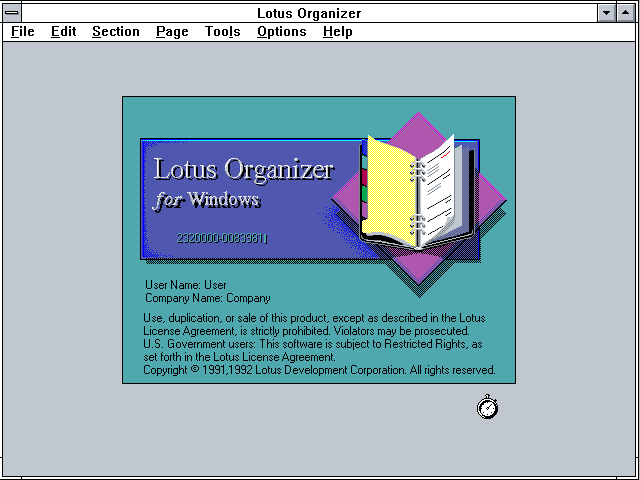
The Organizer was born around 1990 in the hands of Threadz, a small British software house. Its first incarnation sold for £199 and received lukewarm reviews. Even so, something in the product caught the attention of Lotus Development Corporation: in 1992, Lotus acquired the software and relaunched it as Lotus Organizer 1.0, positioning it as a Windows-native replacement for Lotus Agenda.
Throughout the first half of the 90s, it was the most popular PIM in the world. In Fortune 500 offices, on lawyers' desks, on journalists' laptops, the Organizer screen opened like a leather Filofax: cover, visible binder rings, colored tabs, pages that turned — a skeuomorphism bordering on excess, and it worked because it had soul.
In 1995, IBM bought Lotus for US$ 3.5 billion. The Organizer kept evolving: it went 32-bit in version 97, gained OS/2 and classic Mac OS releases, integrated with Lotus Notes and synced with Palm Pilots. Version 4.1 brought vCard and iCalendar support. But Microsoft Outlook kept gaining ground until it became inescapable.
The final release was 6.1, in 2003. On May 14, 2013, a quiet IBM bulletin announced the immediate discontinuation. Thirteen years later, forums around the world still ask the same question: "is anyone here still using it?"
Your personal organizer with
personality — and everything you wanted
Agenda, tasks, notes, planner, CRM, password vault. One interface, with the soul of the Lotus Organizer and the technology of 2026.
Try it free →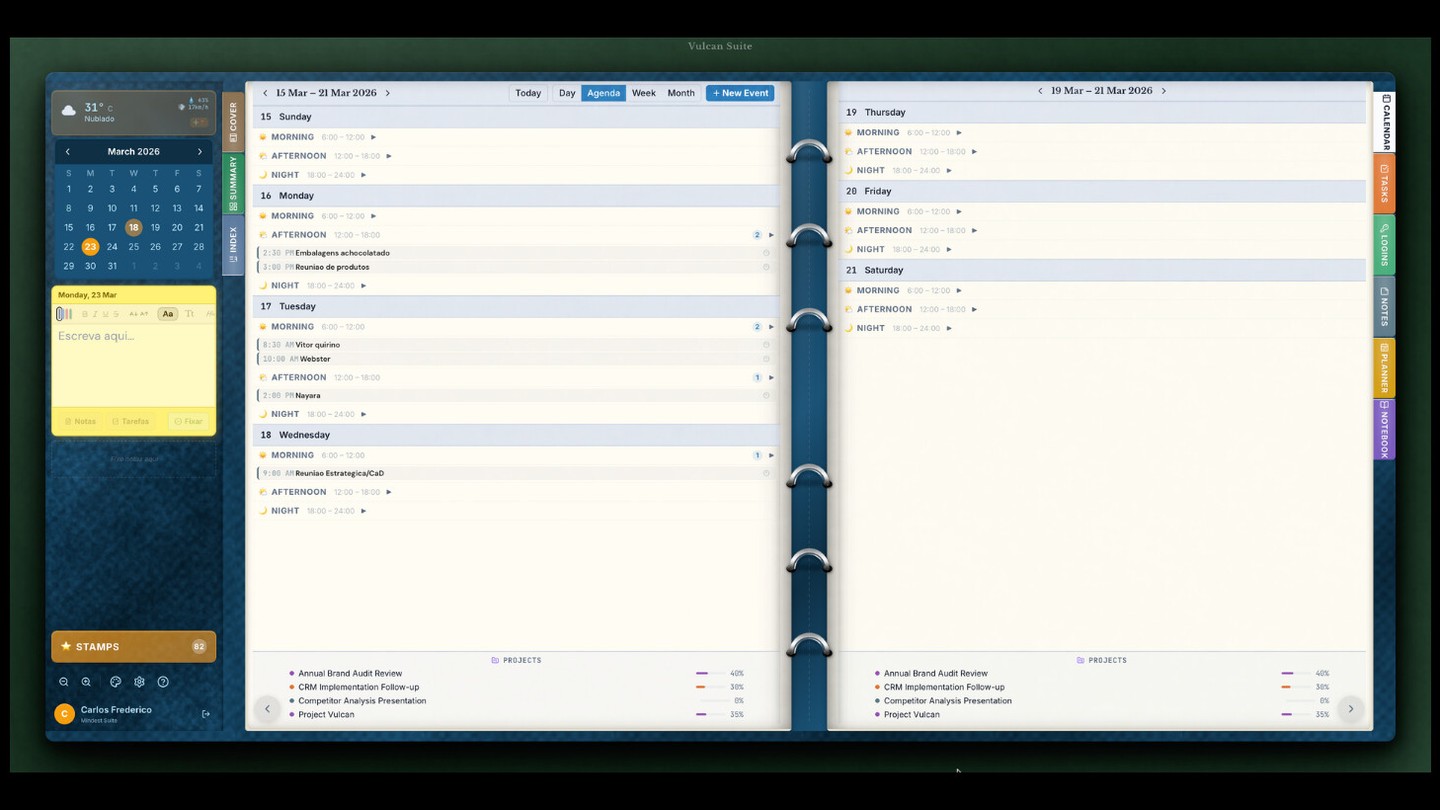
| 1990 | Pre-Lotus | Threadz Organizer · a British team ships the first version for £199. |
| 1992 | v1.0 · .ORG | Lotus Organizer 1.0 for Windows 3.0 · Lotus acquires Threadz. |
| 1993 | v1.1 | Refinement and stability · v1.11 for Windows 3.x. |
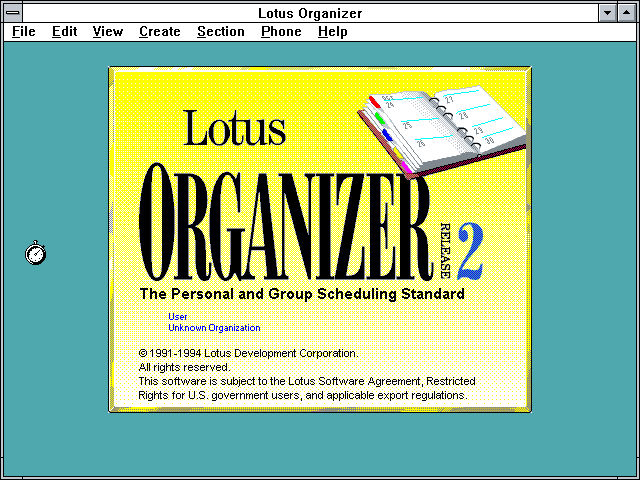
| 1994 | v2.0 · .OR2 | Version 2 — multilingual · English, Spanish, Portuguese, Dutch, Czech. |
| 1995 | — | IBM acquires Lotus · for US$ 3.5 billion. |
| 1997 | v97 · .OR3 | 32-bit leap · SmartSuite 97 · Classic Mac OS release. |
| 1998 | v4.1 · .OR4 | SmartSuite Millennium · First OS/2 release, Palm sync. |
| 1999 | v5 · .OR5 | SmartSuite 9.5 · v6.0 ships separately. Y2K-compliant. |
| 2003 | v6.1 · .OR6 | The final version · Officially supports up to Windows 7. |
| 2010 | FAQ Technote | IBM publishes technote for Win7. Last official communication. |
| 2013 | EOL · May 14 | IBM discontinues SmartSuite, 1-2-3 and Organizer. |
| Today | Afterlife | Living community · active threads on Whirlpool, Bleeping Computer, ForoCoches. |
Cover & binder rings
The window opened like a leather Filofax: visible cover, binding hardware.
Colored tabs
Calendar, To Do, Address, Calls, Planner, Notepad, Anniversary.
Turning pages
Real page-turn animation. Pure magic in 256 colors.
Burning trash can
The little trash icon caught fire when emptied.
Real density
Fit more on a 800×600 screen than modern PIMs do at 4K.
All offline
Local .OR6 file. No cloud, no login.
15+ languages
PT, ES, IT, DE, FR, NL, CZ, JP — globalization before Web 2.0.
Integrated Calls
Call log + modem dialing. CRM before CRM was a thing.
Native integration with
Google Calendar and Google Tasks
Automatic two-way sync. Edit in Vulcan, it shows up in Google. Edit in Google, it shows up in Vulcan. No conflicts, no manual setup.
Connect my Google →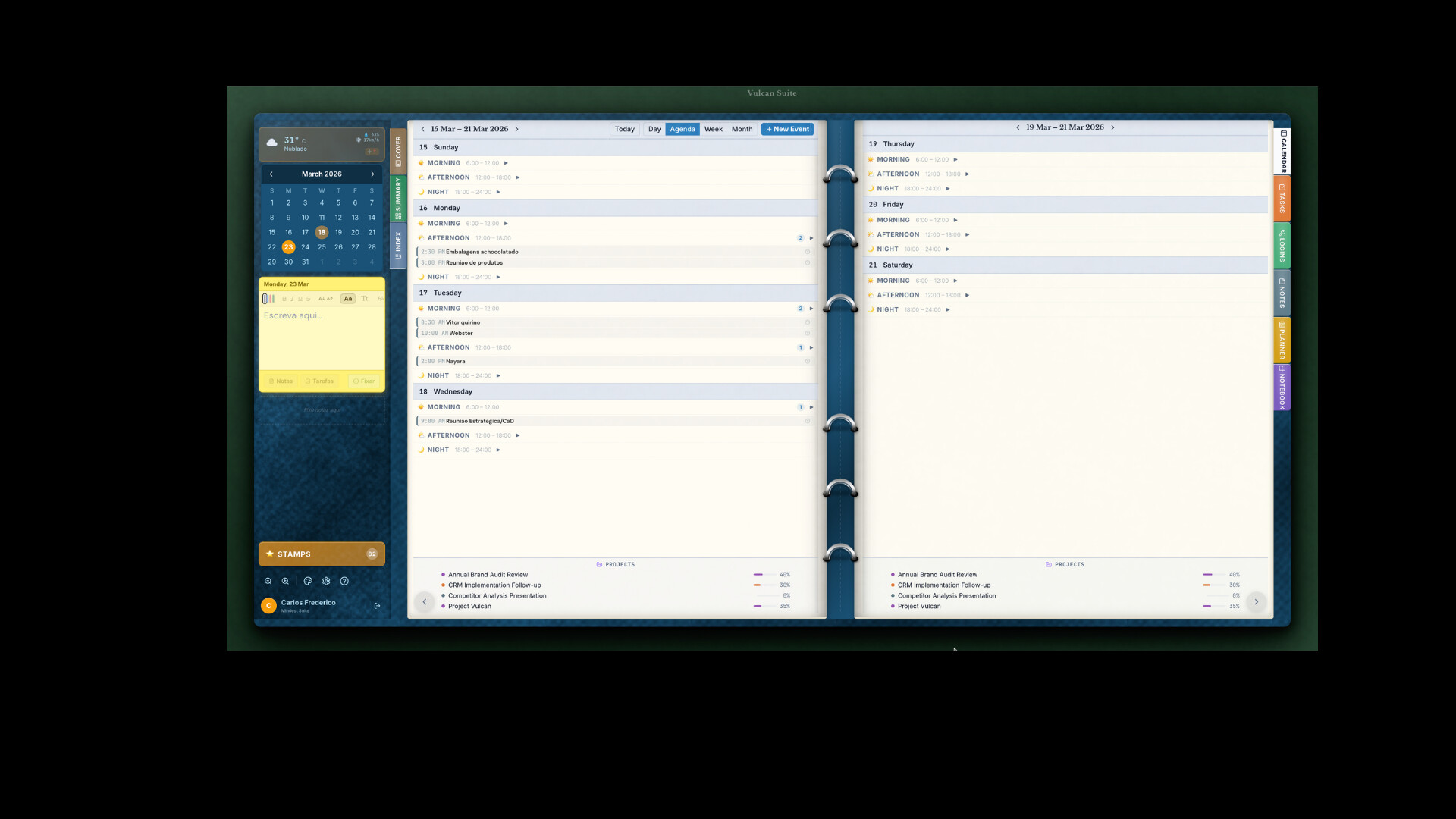
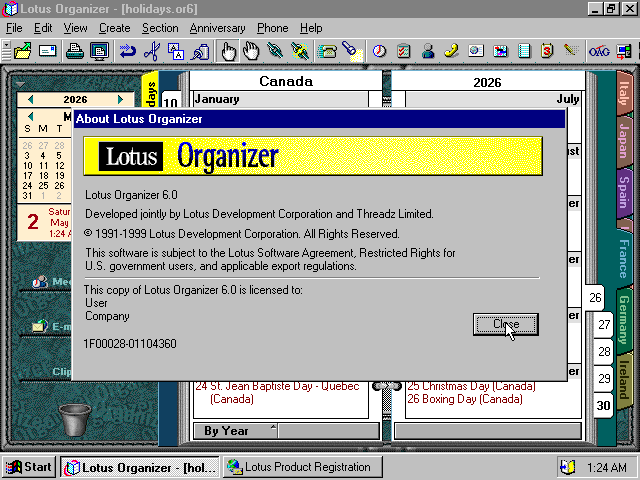
Captures preserved by WinWorld and the Internet Archive. (Click to enlarge)




VulcanOrganizer
The productivity of Notion + the beauty of Lotus + the sync of Google — in a single interface.
- Calendarwith Google sync
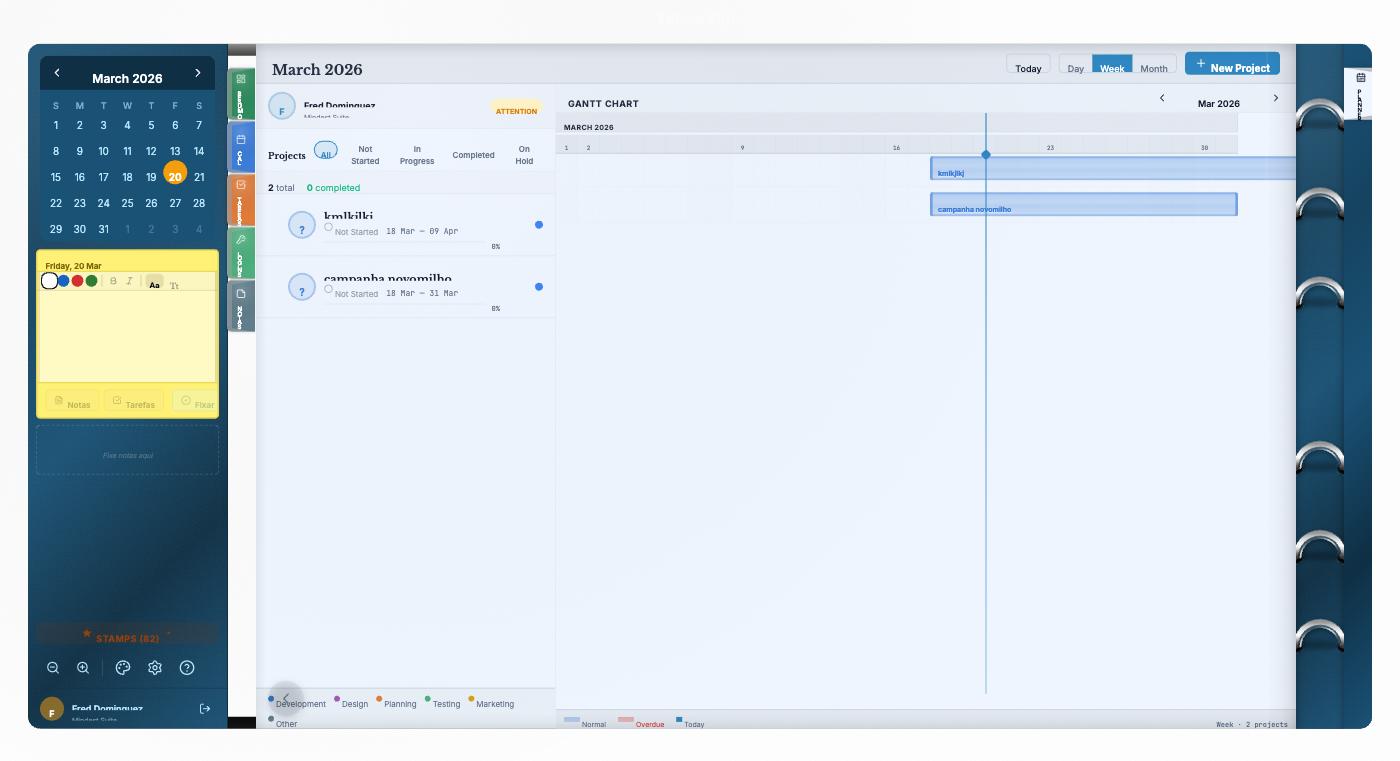
- PlannerGantt and roadmap
- Notesrich markdown
- Taskswith priorities
- Password vaultE2E encrypted
- NotebooksNotion-style
Recent videos proving the community is still alive:
Weekly summary · views
day · week · month
See your life at any scale — from the 2pm meeting to the panorama of the next 30 days. All in one click.
7 days
Themes, stamps and real style
to organize your life
10 selectable leather themes. 86+ drag-and-drop SVG stamps in any tab. The familiar Lotus look, with 2026 quality.
- Whirlpool — Lotus Organizer 6.1 Query (Sep/2025)
- Komando — Lotus on Windows 10
- Bleeping Computer — A desperado
- Bleeping Computer — Substitute?
- Ten Forums — Win10
- Microsoft Q&A — LTBUBN12.DLL
- Microsoft Q&A — SmartSuite Win10/11
- dpreview — Linux??
- PC Review — equivalent?
- PortableApps — Portable
- SoulKeeper — Portable.13
- Apple Discussions — Mac
- Apple Discussions — .OR5
- Linux Mint — addict
- LinuxQuestions
- Puppy Linux Forum
- Dell Community — Converting
- Quora — How many people still use?
- Techyv — Linux?
- FB Marketplace · Mexico
- FB · Media set EN
- FB · Media set PT
- FB · Media set Portable
- LinkedIn · Garry Lindsay
- LinkedIn · Liam Smyth (IBM)
- LinkedIn · Wai Ho Chan
- LinkedIn · Nicholas LaTronica
- LinkedIn · Eugenia Ripoll
- LinkedIn · Bruce Calvert
- Rubenerd — Memories
- Rubenerd's Retro Corner
- Davide Aversa — In Memory
- Mat Newman — Farewell
- eWeek — Good-Bye Lotus
- Internet Archive · v6.1
- Internet Archive · v97
- Internet Archive · v2.01
- Internet Archive · v1.0
- Internet Archive · v5.0 UK
- WinWorld · v1.x
- WinWorld · v2.x
- WinWorld · v6.x
- Software Informer
- Wikipedia
- IT History Society
Ready for the next chapter?
Everything Lotus did best, in 2026 — with Google Calendar, contextual AI, multi-platform, and free to start.
Start now →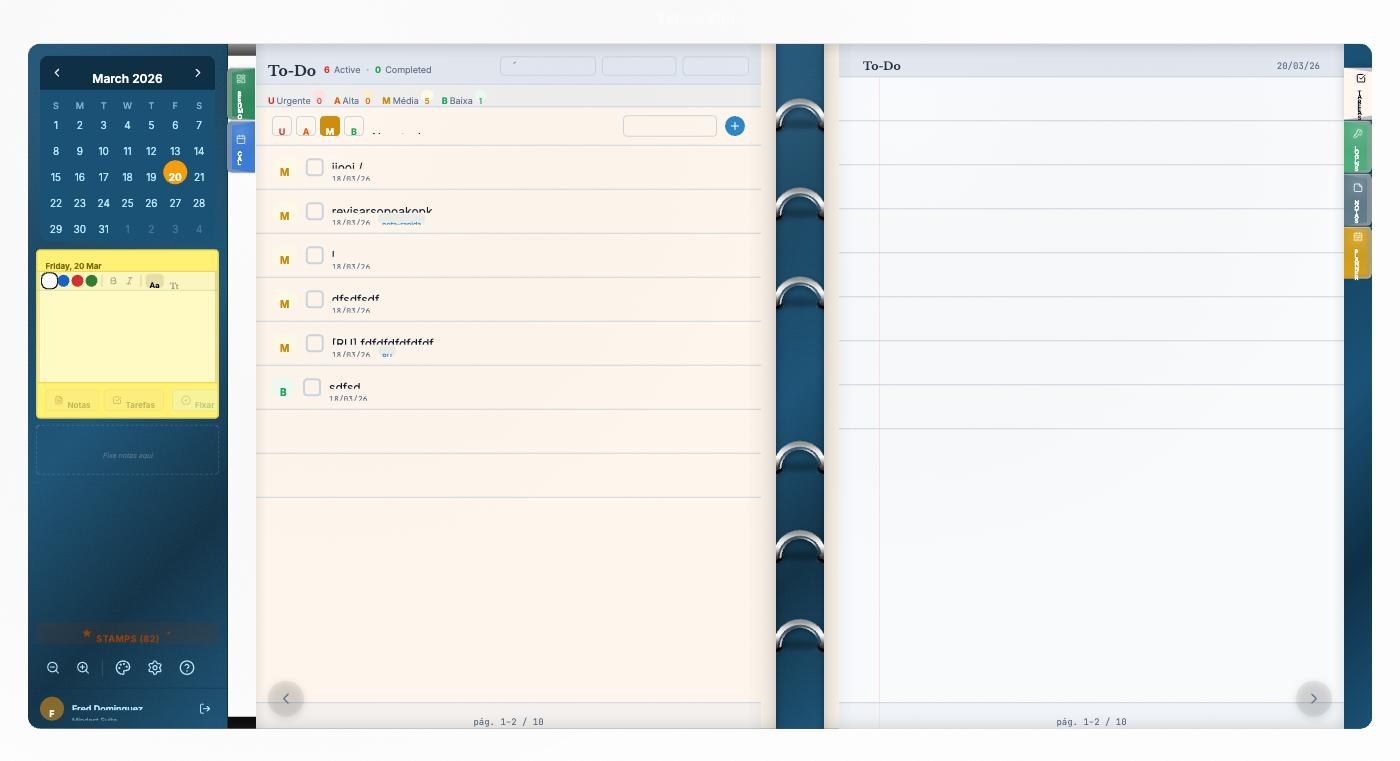
The same soul as 1992 · Now with Google Calendar, AI, and in your pocket
Thirteen years after IBM's silence, a small group of obsessives decided to confront a question: why hasn't anyone, in over a decade, rebuilt what the Lotus did best? The answer was Vulcan Organizer — the spiritual successor of the classic, without gratuitous nostalgia and without giving up what modern technology offers.
Visually, the heritage is clear: Lotus-style colored tabs, leather textures in 10 themes (Classic Green, Burgundy, Vulcan Modern, Caramel Vintage, Midnight Purple, Forest Moss...), pages that turn with a paper-turning sound, and 86+ drag-and-drop stamps to mark meetings, trips, lunches.
But the continuity is not just aesthetic. Expanded functionality: the calendar syncs natively with Google Calendar, contacts become a CRM with a timeline, an E2E-encrypted password vault replaces the old "Anniversary" tab, and an AI assistant understands your schedule as context: "book a call with Maria in her first opening next week".
Runs as a PWA — iOS, Android, Windows, macOS, Linux, no download. Offline-first. Shortcuts for everything. Free to start.
It was just waiting for someone brave enough to do it right."
Discover and start using
your new organizer
No credit card. No download. In 30 seconds your agenda is synced with Google, your tasks are migrated, and you're back to that familiar feeling — now with AI on your side.
» Start now « vulcanorganizer.com/international